A circuit. In your space.
Place life-size 3D parts on a tracked surface. Mount components on breadboards, connect calibrated pins, and inspect the wiring in a 2D blueprint.
 boardAR
Explore components
boardAR
Explore components
A new space to learn electronics
Turn the table in front of you into an electronics lab. Place components, connect the dots, and bring your ideas to life in augmented reality.
From your first LED
to your next big idea.
THE WORKBENCH
One place to explore how circuits fit together, what your code does, and why it works.
Place life-size 3D parts on a tracked surface. Mount components on breadboards, connect calibrated pins, and inspect the wiring in a 2D blueprint.
Write, verify, and run supported Arduino sketches inside the workbench. Watch connected LEDs blink, PWM brightness change, and motor projects respond.
Learning mode follows your actual circuit and code. Ask the tutor why something works, get pin guidance, or describe an LED or motor circuit to generate.
Attach virtual multimeter probes for scoped DC voltage, current, resistance, and continuity readings.
Use supported Apple Pencil hover and pin selection to inspect parts and connect precise terminals.
Move and resize assemblies, undo cables, edit sketches, and reopen locally saved generated circuits.
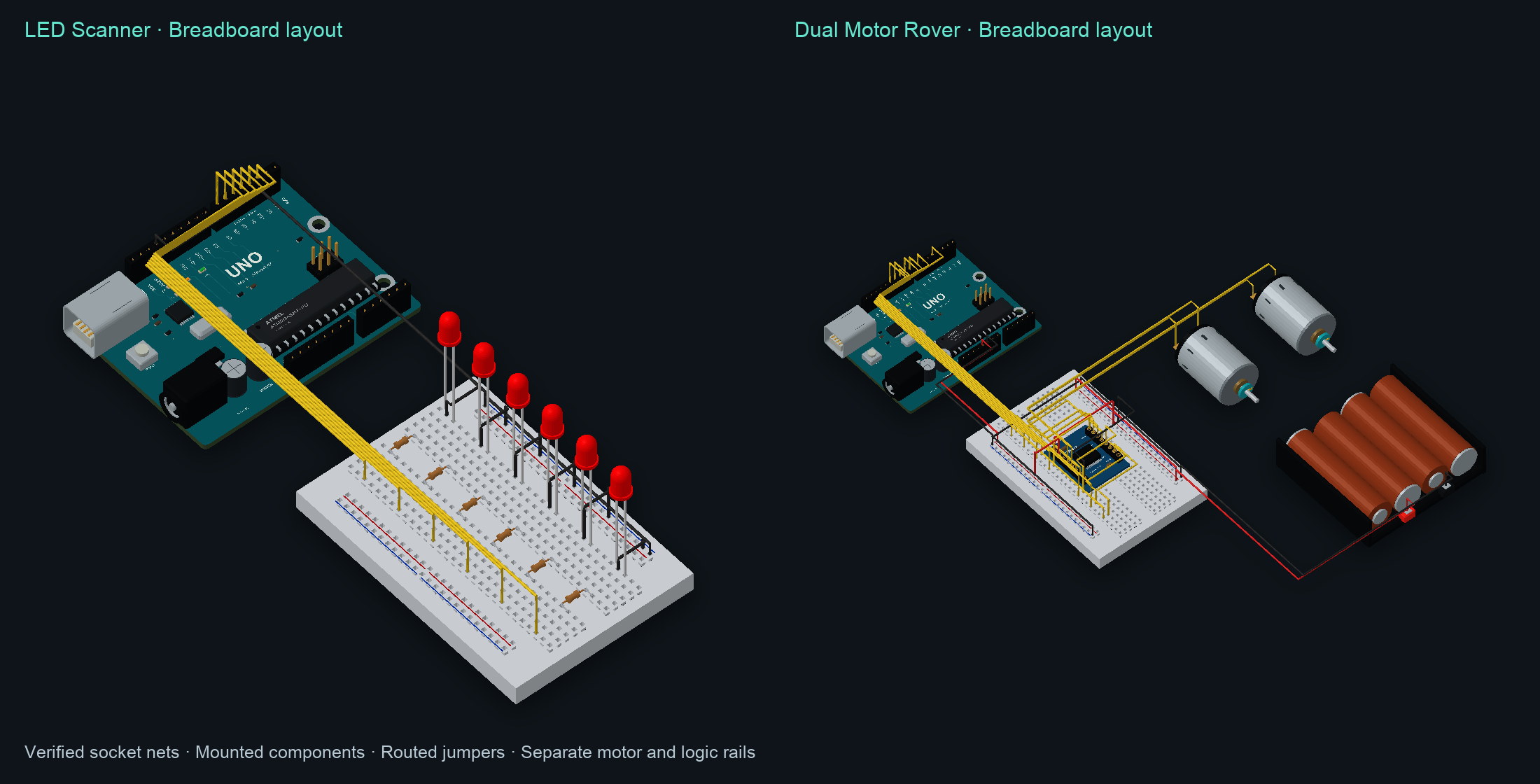
A RUNNING START
Explore a complete LED scanner or a dual motor rover, then make the parts, connections, and code your own.
Renders from the project’s actual component assets.
The Arduino runtime covers supported digital, PWM, and motor behavior. It is a learning simulator; arbitrary analog circuits, sensor protocols, and firmware uploads are outside its scope.
THE COMPONENT SHELF
32 assets to inspect, place, and connect. Explore their purpose, specifications, and available pin guides.
Catalog availability and runtime support are different. The full shelf is available for exploration; sketch execution targets Uno and Pro Mini, with supported LEDs and TB6612 DC motors. Sensor, servo, ESP32, and NeoPixel protocols are not simulated.
THOUGHTFULLY ON DEVICE
The everyday work happens locally. Optional research has a clear, separate role.
boardARiPhone / iPadARKit tracks surfaces locally. Camera frames and tracking data stay on your device.
Apple’s on-device Foundation Model powers tutoring and supported circuit generation. Built-in guidance and presets remain available when the model isn’t ready.
SwiftData saves generated circuits, wiring, sketches, and references locally. Reopen saved designs without another model or network request.
Optional SCX.ai and Parallel research sends focused technical questions directly to those services. Apple’s model still creates the circuit. Provider keys are stored in the device Keychain.
AR requires a supported iPhone or iPad running iOS / iPadOS 18 or later. AI generation requires iOS / iPadOS 26 or later and an eligible device with Apple Intelligence enabled and ready.
NATIVE FROM THE START
Built in Swift with Apple frameworks, from the first surface anchor to the last saved circuit.
Framework icons are official Apple Developer artwork. Apple and its framework names and artwork belong to Apple Inc. boardAR is an independent project.
A LITTLE CURIOSITY GOES A LONG WAY
Meet the components, discover the tools, and explore boardAR as it takes shape.
Explore the component shelf